AMP Pages & Web Stories | The new super-powers for your web apps
Learn how you can supercharge your web application's engagement, performance and SEO visibility using AMP pages & Web Stories
Introduction
When it comes to web applications, speed and engagement are like the Batman and Robin of the internet. Without them, your users are likely to click the back button faster than you can say "404 error." Enter AMP pages and Web Stories—the dynamic duo ready to fight sluggish loading times and user boredom. But are they really that helpful for web apps? Grab your cape (or just your coffee), and let’s dive into the world of AMP pages and Web Stories with a sprinkle of humor and a dash of statistics!
AMP Pages: Your Web App’s Secret Weapon for Speed
Imagine this: You’ve built a sleek web application. It’s responsive, has all the bells and whistles, and could win a design award... except it takes 10 seconds to load. That’s like baking a cake but forgetting to add sugar—it just doesn’t work.
AMP (Accelerated Mobile Pages) can be a game-changer here. AMP is a stripped-down version of HTML designed to create super-fast loading web pages, specifically on mobile. It prioritizes speed above all, ensuring your content reaches your users at lightning speed (OK, not actual lightning, but Google says AMP pages load in less than 1 second on average—that’s practically The Flash in web terms!).
Why Speed Matters
53% of users abandon a site if it takes longer than 3 seconds to load. If your app isn’t fast, that’s like setting up a shop in a ghost town.
Studies show AMP pages increase mobile site speed by up to 85%. That’s a lot of wasted milliseconds saved!
Humor time: You wouldn’t try to win a marathon wearing rollerblades, right? Unless you’re trying to break the internet in the worst way possible. AMP pages are like switching to running shoes—simple, sleek, and a lot faster!
Adding AMP Pages to Your React Application
Okay, let’s get practical. Here’s how you can add AMP pages to your React app.
Step 1: Set Up the AMP HTML Structure
Since AMP pages use a more limited HTML structure, you’ll need to ensure that you adhere to AMP-specific HTML tags and components. The simplest way is to serve AMP pages separately.
Start by creating a separate AMP page for the component you want to make AMP-ready.
<!doctype html>
<html ⚡>
  <head>
    <meta charset="utf-8">
    <title>AMP in React</title>
    <link rel="canonical" href="/">
    <meta name="viewport" content="width=device-width,minimum-scale=1,initial-scale=1">
    <style amp-custom>
      body { font-family: Arial, sans-serif; }
    </style>
    <script async src="https://cdn.ampproject.org/v0.js"></script>
  </head>
  <body>
    <h1>Welcome to AMP-powered React App</h1>
    <amp-img src="image.jpg" width="600" height="400" layout="responsive"></amp-img>
  </body>
</html>
Step 2: Configure Your React App to Serve AMP Pages
To serve AMP pages in React, we can either:
Use Next.js (which has built-in AMP support), or
Use server-side logic to render AMP pages conditionally.
Here’s how to do it using Next.js:
Install Next.js if you haven't already:
npx create-next-app@latestEnable AMP in your React page:
 import React from 'react';

 export const config = { amp: true };

 const AmpPage = () => (
   <div>
     <h1>AMP in a React App</h1>
     <amp-img
       width="600"
       height="400"
       layout="responsive"
       src="your-image-url.jpg"
       alt="Fast and Furious AMP Image"
     />
   </div>
 );

 export default AmpPage;
Step 3: AMP It Up
The above setup ensures that the page is AMP-compliant, but for a full AMP experience, you’ll need to ensure your CSS is lightweight (50KB max) and avoid using JavaScript directly (AMP uses its own components). You can now deploy the app, and Google will recognize it as an AMP page.
Web Stories: Because Your App Deserves to Be Fun!
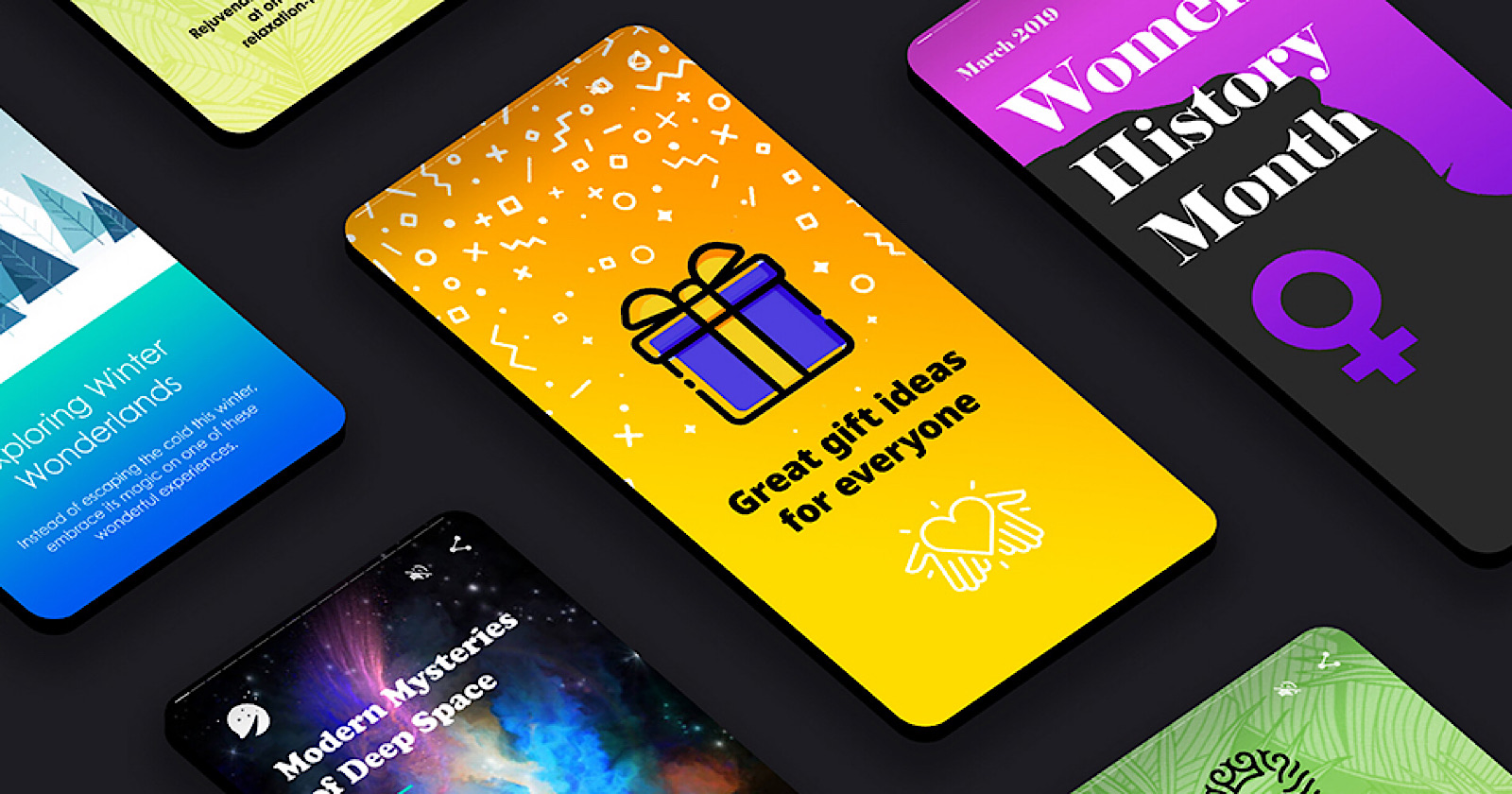
If AMP is all about speed, Web Stories are about engagement and interaction. We’ve all seen those Instagram and Snapchat stories—you know, the ones we binge-watch for no reason other than FOMO. Web Stories bring that same snackable content format to the open web, offering immersive experiences perfect for short attention spans (hello, modern internet users!).
Think of Web Stories as mini-app features: engaging, visually appealing, and interactive. You can create swipeable, tappable content that feels like a game—something users can interact with while waiting for their coffee to brew. And hey, the stats back it up:
Web Stories have a 30% higher click-through rate (CTR) than traditional web content.
Story-based formats are 3x more likely to retain users for longer periods compared to standard articles or pages.
Humor break: Ever tried reading a 2,000-word blog post on your phone? It’s like trying to read "War and Peace" on a post-it note—possible but not fun. Web Stories, on the other hand, are the bite-sized sushi rolls of content: short, sweet, and delicious.
Adding Web Stories to Your React Application
Now, let’s add some fun with Web Stories!
Step 1: Install amp-story in Your React Project
In your AMP pages (or non-AMP if you just want the story format), you can add Web Stories using the amp-story component.
Here’s how you would include Web Stories in your AMP-enabled React app:
const WebStory = () => (
  <amp-story
    standalone
    title="My First Web Story"
    publisher="Your App Name"
    publisher-logo-src="logo.png"
    poster-portrait-src="cover.jpg">

    <amp-story-page id="page1">
      <amp-story-grid-layer template="fill">
        <amp-img src="image1.jpg" width="720" height="1280" layout="responsive"></amp-img>
      </amp-story-grid-layer>
    </amp-story-page>

    <amp-story-page id="page2">
      <amp-story-grid-layer template="fill">
        <h1>This is page 2</h1>
      </amp-story-grid-layer>
    </amp-story-page>

  </amp-story>
);

export default WebStory;
Step 2: Style and Deploy
Use AMP-approved components to create and style your stories. Deploy your Web Story, and voila! You’ve integrated Web Stories into your React app.
How AMP Pages and Web Stories Help Web Apps
Now, why should your web app care? Let’s break it down:
1. Faster Load Times = Happier Users
AMP pages ensure that your web app loads almost instantly, which is crucial for retaining mobile users. This is especially important for e-commerce apps, where a delay of 1 second in page load time can cost a site up to 7% in conversions. In short, fast apps make more money.
2. Better SEO and Discoverability
Google loves AMP pages—seriously, it’s like their favorite child. AMP-enabled pages rank higher in mobile search results and get a nifty lightning bolt icon, signaling to users that your page is fast and reliable. The result? Higher click-through rates and lower bounce rates.
And when it comes to Web Stories, they’re featured directly in Google Discover, which gives you a whole new audience without much extra effort. More eyeballs = more potential app users.
3. Engagement on Steroids
Web Stories are perfect for engaging users. Whether it’s showcasing product features, guiding users through app tutorials, or simply sharing updates in a fun, tappable format, they’re an awesome tool for interaction. The best part? You can integrate Web Stories into your web app seamlessly, offering an experience that feels native but with that extra spark of interactivity.
4. Better User Experience
The combination of AMP and Web Stories can drastically improve your app’s UX. While AMP pages ensure that your app performs lightning fast, Web Stories add an element of fun and engagement that keeps users coming back. A win-win for both speed freaks and engagement junkies!
AMP + Web Stories: The Perfect Duo
Think of AMP pages as the protein shake for your app—boosting its speed, stamina, and performance. On the other hand, Web Stories are the dessert, making sure your app is engaging and fun without compromising on user retention.
By combining both, your web app becomes a powerhouse of speed and engagement. It’s like building a theme park where the roller coasters are fast (AMP) and the cotton candy is irresistible (Web Stories). Users won’t want to leave!
Bonus Material - AMP Emails and AMP Ads
We’ve already covered how AMP Pages and Web Stories can make your web apps faster and more engaging, but did you know the AMP magic doesn’t stop there? Enter AMP Emails and AMP Ads—the unsung heroes of marketing, ready to transform your emails and ads into interactive, dynamic experiences that feel like mini-web apps.
AMP Emails: Turning Boring Emails into Interactive Experiences
Let’s face it—traditional email marketing is a bit like a black-and-white TV in a 4K world. Sure, you can add images and links, but once the email is sent, it’s static and passive. Users have to leave the inbox and visit a webpage to complete most actions. This is where AMP Emails come in like a superhero team ready to shake things up.
With AMP for Email, you can turn emails into interactive experiences where users can engage with content directly inside their inbox, without needing to open a new tab or app.
How AMP Emails Can Benefit You
Interactive Forms and Actions: Want users to fill out a survey or RSVP to an event without leaving their inbox? With AMP Emails, they can submit forms, choose from dropdowns, and complete interactive tasks right from their email.
Dynamic Content: Traditional emails are static, but AMP Emails allow you to show real-time content. For example, you could display live product stock updates, prices, or personalized recommendations, all dynamically loaded in the email.
Simplified User Experience: AMP Emails reduce friction in user journeys. Instead of sending users to your app or website for actions like leaving feedback or checking order status, they can complete these tasks right in the email.
Real-World Example
Imagine you’re running an e-commerce app and sending a weekly product newsletter. With AMP Emails, instead of just showing a static list of products, you can let users browse product options, select sizes and colors, and add items to their cart—all without leaving their inbox.
How to Add AMP Emails to Your Workflow
Here’s a basic example of what an AMP Email looks like. AMP emails use the <amp-form>, <amp-list>, and other AMP components to add interactivity.
<!doctype html>
<html ⚡4email>
<head>
  <meta charset="utf-8">
  <script async src="https://cdn.ampproject.org/v0.js"></script>
  <script async custom-element="amp-form" src="https://cdn.ampproject.org/v0/amp-form-0.1.js"></script>
  <style amp4email-boilerplate>body{visibility:hidden}</style>
</head>
<body>
  <h1>Interactive AMP Email</h1>
  <form method="POST" action-xhr="/submit-form">
    <input type="text" name="name" placeholder="Enter your name">
    <button type="submit">Submit</button>
  </form>
</body>
</html>
In this example, users can submit the form directly from their email, creating a seamless interaction.
To use AMP Emails:
You'll need to register your sending domain with major email clients that support AMP (like Gmail).
Ensure your emails are AMP-compliant by following AMP for Email specifications.
AMP Ads: Faster, Lighter, and More Engaging Ads
Online ads are notorious for being slow, intrusive, and resource-heavy, often leading to a poor user experience. AMP Ads are designed to fix that by being faster, lighter, and more secure. AMP Ads are built using the same technology as AMP Pages, which means they’re optimized for speed and deliver a better user experience.
Why AMP Ads Matter
Faster Loading Times: Just like AMP Pages, AMP Ads are designed to load quickly, ensuring users see your ads without delays. According to Google, AMP Ads load up to 5x faster than traditional ads.
Better Viewability: AMP Ads are lighter, meaning they use fewer resources and load more smoothly, which can lead to improved viewability rates. Studies have shown that AMP Ads have 15-30% higher viewability compared to non-AMP ads.
Secure and Trustworthy: Since AMP Ads are served over a secure AMP environment, users can be confident that the ads won’t contain harmful or malicious scripts, making them safer to engage with.
Higher Click-through Rates (CTR): Because of their speed and seamless integration into content, AMP Ads tend to perform better, with 20% higher CTR compared to regular ads.
Types of AMP Ads
Display Ads: AMP Display Ads are optimized for performance and user experience, ensuring that your banner and sidebar ads load instantly.
Search Ads: AMP Search Ads appear in Google search results and are built to load quickly and deliver relevant content with minimal latency.
Video Ads: AMP Video Ads offer a smoother video viewing experience, ensuring videos play quickly and without lag.
Adding AMP Ads to Your Web App
Let’s say you want to display AMP Ads in your web app. Here’s a simple example of how to integrate an AMP Ad:
<amp-ad
  width="300"
  height="250"
  type="adsense"
  data-ad-client="ca-pub-XXXX"
  data-ad-slot="XXXX">
</amp-ad>
In this example, the AMP Ad is set up for Google AdSense. The attributes like width, height, and data-ad-client need to be adjusted based on your specific ad platform and dimensions.
Benefits for Web Apps
Monetization: AMP Ads are ideal for monetizing content while providing a faster, more seamless ad experience.
Non-intrusive: Unlike some slow-loading ads that can disrupt the user experience, AMP Ads integrate smoothly into the content, keeping users happy while still delivering your message.
Wrapping It Up
In a world where users have the attention span of a goldfish and the patience of a toddler, AMP and Web Stories can be the heroes your web app desperately needs. With faster load times, higher engagement, and better discoverability, they’re not just tools—they’re superpowers.
So, next time someone tells you to choose between speed and engagement, just smile and say, “Why not both?” (And if they look confused, just tell them about AMP and Web Stories—they’ll get it soon enough.)
Remember: In the fast-paced world of web applications, speed thrills, but engagement kills...the competition.
TL;DR: AMP pages and Web Stories make your web app faster, more engaging, and easier to find on Google. Add them to your toolkit, and watch your users stick around longer than your last binge-watching session. You can thank me later! 😄


